How to predict by coordinate

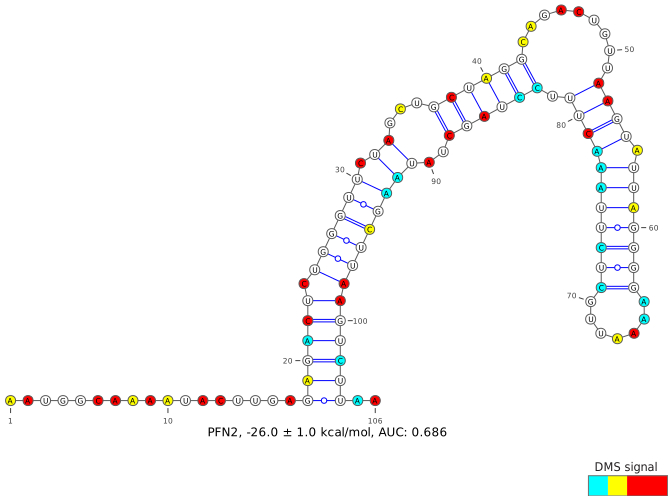
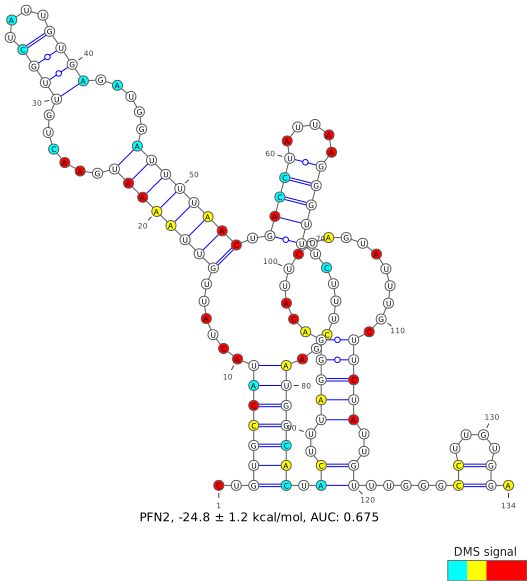
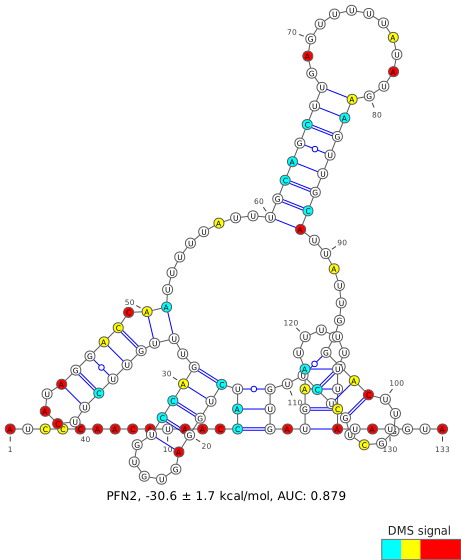
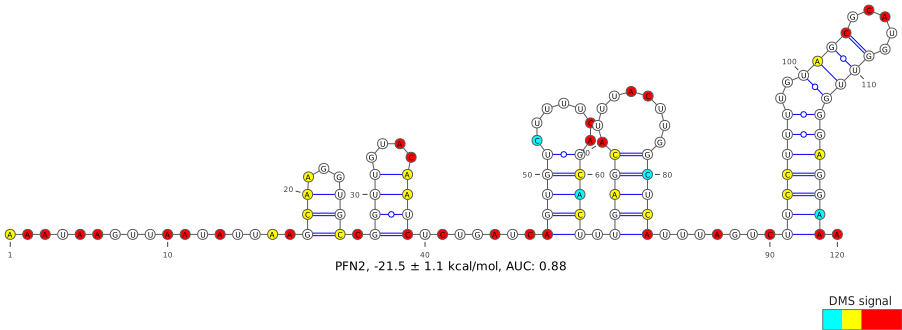
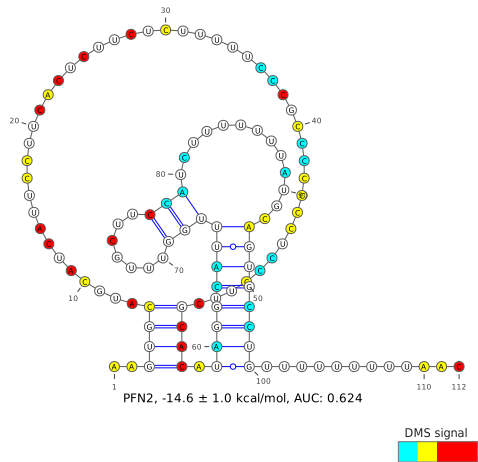
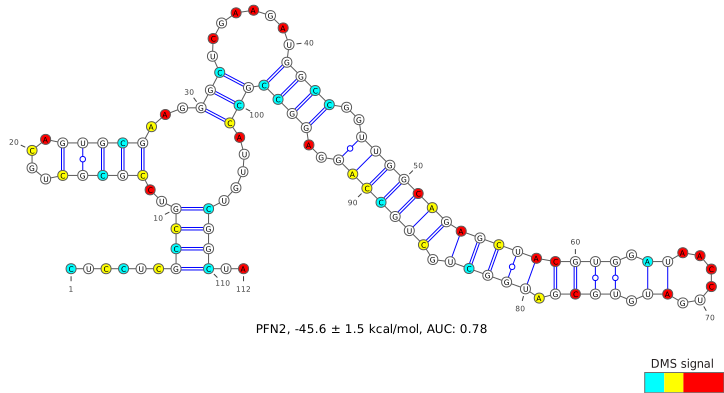
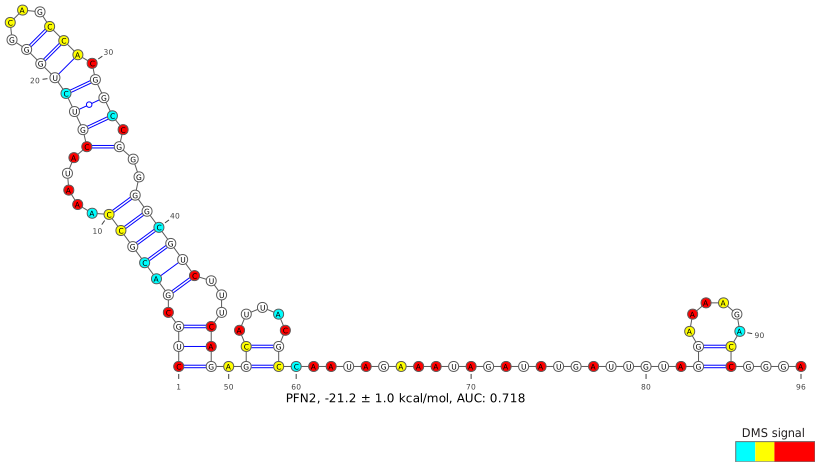
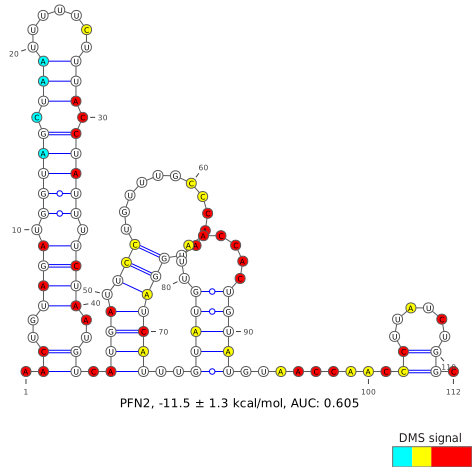
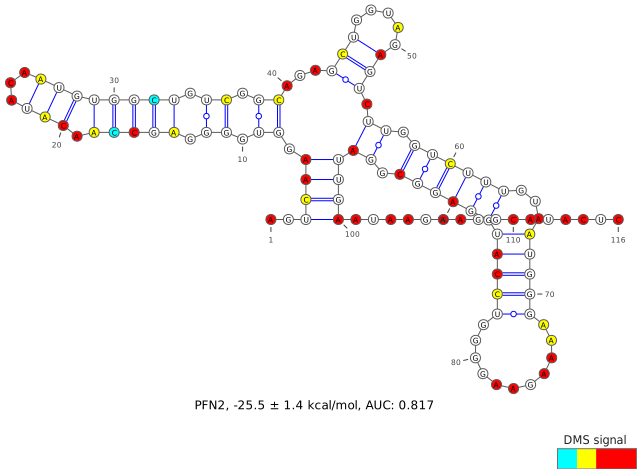
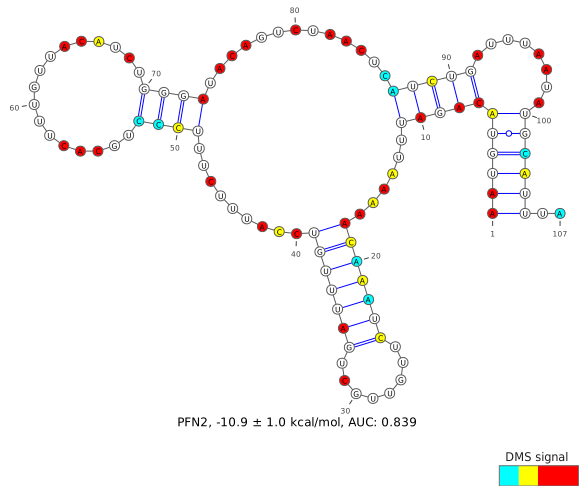
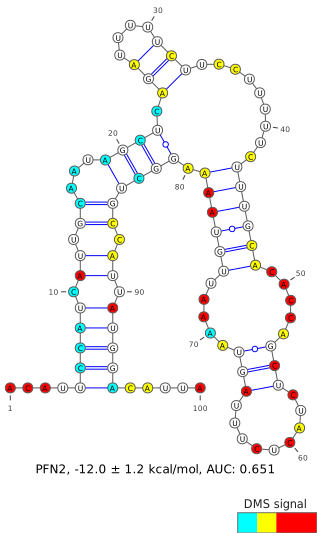
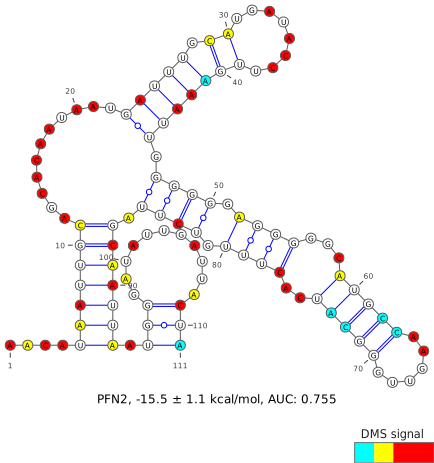
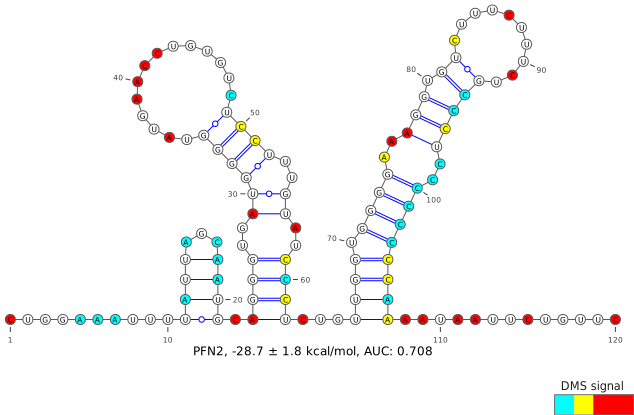
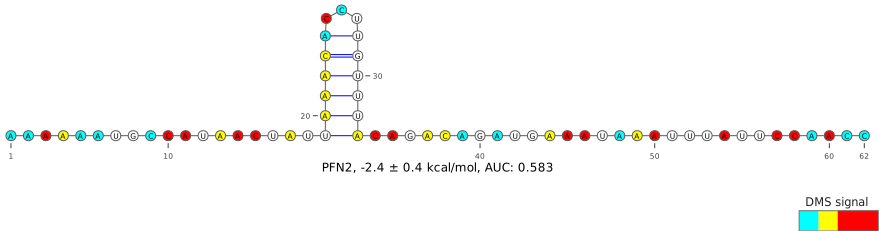
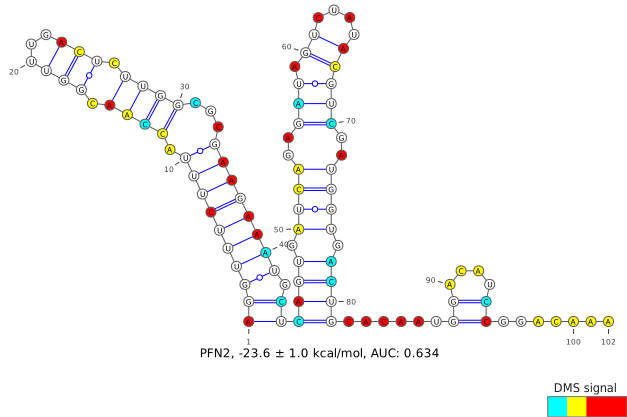
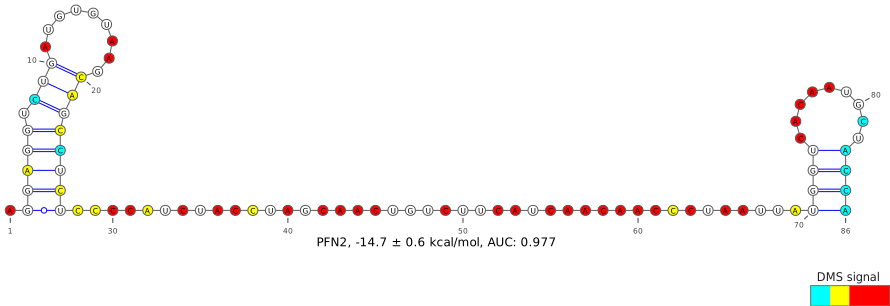
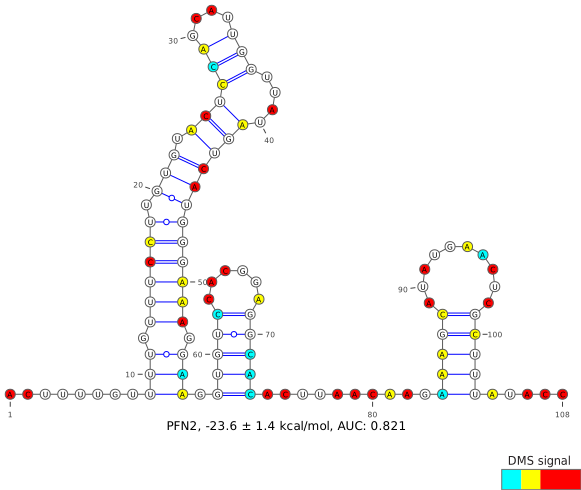
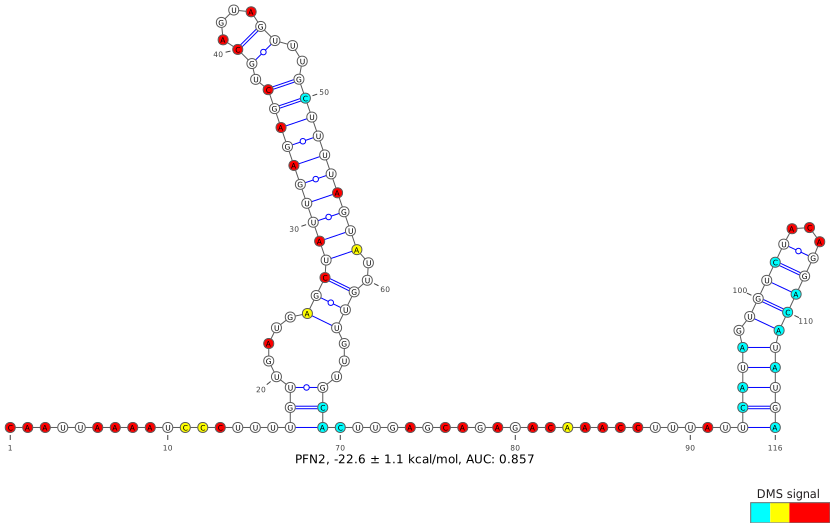
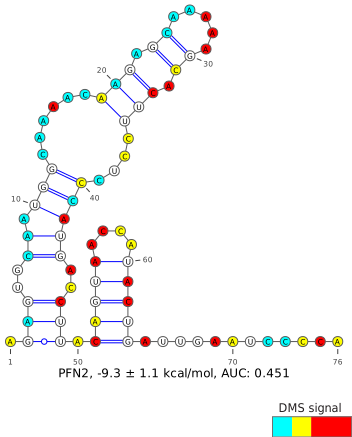
Input the genomic coordinates of your region of interest, using hg38 as the reference genome. This input is the most flexible, and is unconstrained by sequencing coverage or any annotation. Be sure to double-check that the output sequence matches your expected region, and check that the output coverage of A/C bases is above the recommended 70%, which is reflective of DMS-modifiable bases meeting all coverage and quality filters.

For most users, only one set of coordinates will be used to define their region of interest. However, two sets of coordinates may be needed when joining two separate regions together, such as when crossing a splice junction.

When analyzing a region within a larger transcript, it is generally recommended to test “buffer” regions, where the region of interest should be extended by 20-50 nt on each end in order to reduce the likelihood of structures being arbitrarily interrupted by the region borders.

Due to computational and server constraints, users will be limited to a maximum input length of 500 nucleotides and a maximum output of 5 predicted structures, though some regions may yield fewer than that. If this does not suit your needs, consider downloading and running the data and code locally (see Download ).
Predict by Gene


Advanced Options
Chromosomal Coordinates (max 500bp)
Coords 1  
Additional Coordinates
Coords 2 Optional
Coords 3 Optional
Coords 4 Optional


PFN2
ENST00000239940 (-) ENSG00000070087 (-)

Visualize entire gene
100
150
300
500
+
-
Predict

  Region Local Coords Chrom Coords Length R N Gini Action
1
5'UTR,CDS 2-113 149970783-149970894 112 0.8022 50 0.25
2
CDS 114-209 149968513-149968550 / 149970725-149970782 96 0.6542 50 0.19
3
CDS 210-311 149968411-149968512 102 0.8687 50 0.18
4
CDS 313-428 149966523-149966586 / 149968358-149968409 116 0.5943 50 0.18
5
CDS,3'UTR 429-534 149966417-149966522 106 0.7646 50 0.38
6
3'UTR 537-656 149966295-149966414 120 0.8268 50 0.44
7
3'UTR 657-764 149966187-149966294 108 0.7913 50 0.21
8
3'UTR 767-852 149966099-149966184 86 0.9276 50 0.28
9
3'UTR 853-964 149965987-149966098 112 0.8571 50 0.25
10
3'UTR 965-1075 149965876-149965986 111 0.8306 50 0.23
11
3'UTR 1076-1195 149965756-149965875 120 0.8469 50 0.21
12
3'UTR 1196-1307 149965644-149965755 112 0.8993 50 0.35
13
3'UTR 1308-1423 149965528-149965643 116 0.9265 50 0.34
14
3'UTR 1424-1499 149965452-149965527 76 0.8591 50 0.39
15
3'UTR 1503-1602 149965349-149965448 100 0.9128 50 0.34
16
3'UTR 1606-1738 149965213-149965345 133 0.9377 50 0.38
17
3'UTR 1741-1874 149965077-149965210 134 0.8456 50 0.29
18
3'UTR 1876-1982 149964969-149965075 107 0.7985 50 0.30
19
3'UTR 1983-2044 149964907-149964968 62 0.7553 40 0.39
Download CSV

Custom Gene Windows

No custom gene windows have been created yet.
Gene Window Instructions/Interpretation
  1. Search for a gene by name. For each gene, only the canonical transcript (as defined by UCSC in GRCh38.106) is shown. Some gene names may correspond to multiple genomic locations.
  2. For the selected gene, a scatterplot showing the Gini indices, where a high Gini index corresponds to a highly-structured region, for small windows within the transcript. For small RNAs, these windows are sized 20 valid (coverage- and quality-filtered) A/C data points; for all other transcripts, these windows are sized 50 valid A/C data points, due to the ability of DMS to modify primarily A/C bases. In regions with sufficient coverage, these windows correspond to actual transcript lengths of roughly 40 and 100 nucleotides, respectively.
  3. Select a window of interest, either from the scatter plot or from the table below. Generally, windows with a high Gini will yield better results, where the DMS signal aligns more accurately with the predicted base-pais. Windows with high Gini indices relative to the rest of the transcript can also be used to find functional structural elements (ex: TFRC iron response elements).
  4. If previously-defined windows do not suit your needs, you can define a custom window either using (1) the slider below the scatterplot, which shows both a heatmap of previously-defined windows as well as the locations of each UTR and CDS; or (2) custom coordinate-based entry via Predict by Coordinates.
See About for more information on the dataset and for best practices in structure determination.
production / 05e29e215d / 2026-03-26 17:27